Best USB Flash Drives in 2026: Top 3 Picks for Storage, Speed, and Everyday Use
Discover the top 3 USB flash drives of 2026 for fast transfers, reliable storage, and everyday use.
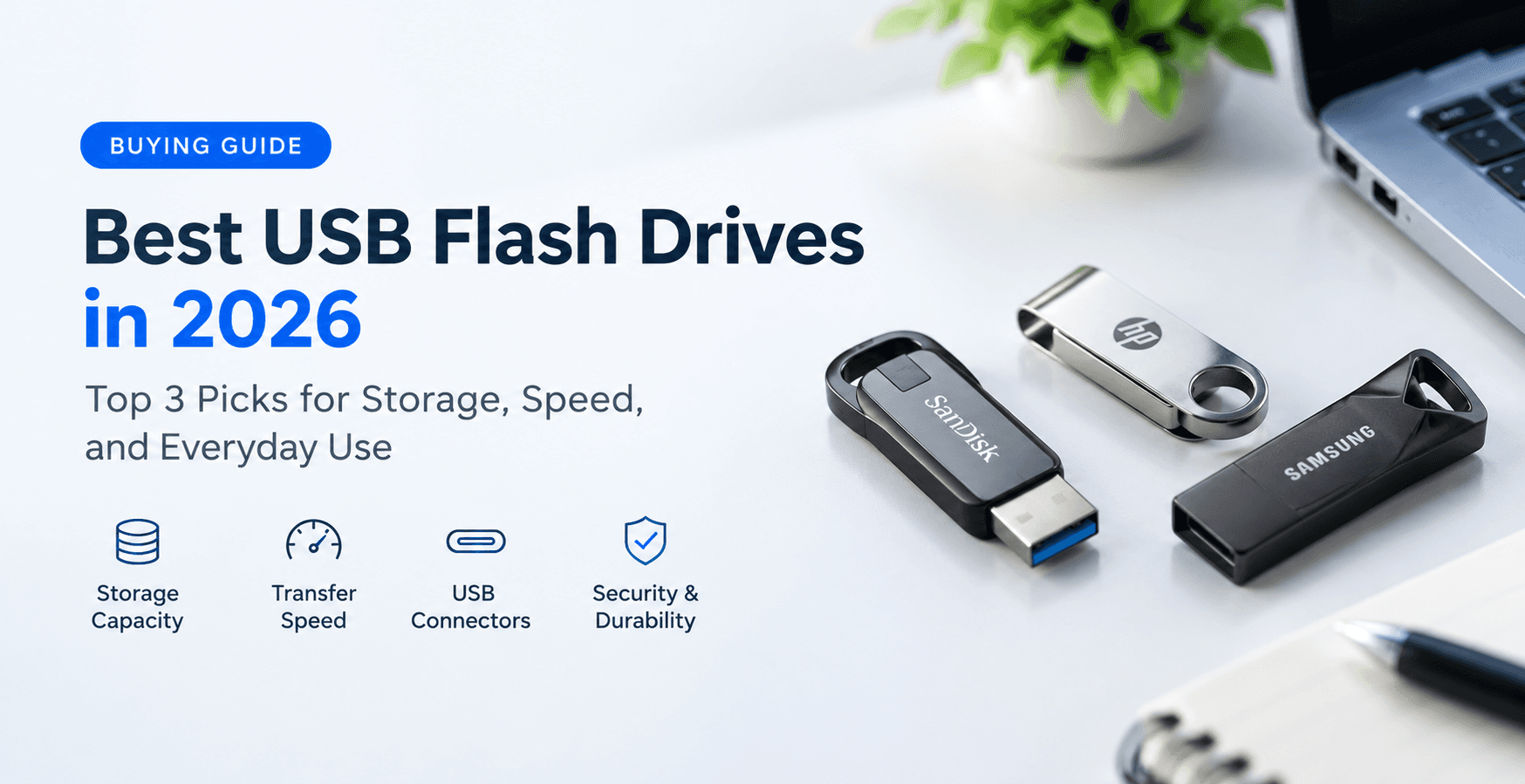
Choosing the best USB flash drive can make storing, transferring, and backing up files much easier. Whether you need a compact drive for documents, a high-capacity option for photos and videos, or a fast USB drive for large file transfers, the right choice depends on your storage needs, device compatibility, transfer speeds, and budget.
In this guide, we'll look at three USB flash drive options for different needs and explain how to choose the right storage capacity, USB connection type, transfer speed, and security features.
1. SanDisk Ultra Flair — Everyday USB Flash Drive
The SanDisk Ultra Flair is a compact USB flash drive designed for everyday file storage and transfers. It is worth considering if you regularly move documents, presentations, photos, and other files between compatible computers.
Its metal-style casing gives it a compact design, making it convenient to carry in a laptop bag or pocket. Different storage capacities may be available, so choose one that provides enough room for your files.
Before purchasing, verify the exact model, advertised transfer speeds, capacity, and compatibility with your computer.
Best for: Everyday file transfers, students, office documents, and general storage.
2. Samsung BAR Plus — Durable Everyday Storage
The Samsung BAR Plus is a USB flash drive designed for users who want portable storage in a sturdy metal-bodied design. It can be useful for carrying work files, photos, presentations, and other everyday data.
Its compact form makes it easy to keep with your computer accessories. However, its metal construction should not be mistaken for complete protection against water, impact, or data loss. Always check the manufacturer's specifications and warranty.
Before buying, compare the available capacities and confirm that the connector and transfer performance meet your requirements.
Best for: Everyday storage, portable work files, and users who prefer a sturdy design.
3. SanDisk Extreme PRO USB 3.2 Solid State Flash Drive — High-Performance Storage
The SanDisk Extreme PRO USB 3.2 Solid State Flash Drive is an option to consider if you frequently transfer large files and want a higher-performance portable storage device.
It is aimed at users with more demanding file-transfer needs, such as photographers, content creators, and professionals working with large project folders.
Actual performance depends on the specific model, file sizes, computer, and USB port. If speed is your priority, check independent performance tests and the manufacturer's specifications rather than relying only on the product name.
Best for: Large file transfers, demanding workflows, and users prioritizing transfer performance.
How to Choose the Best USB Flash Drive
32GB vs. 64GB vs. 128GB vs. 256GB
The right storage capacity depends on the types of files you plan to carry.
32GB: Suitable for documents, presentations, and basic file transfers.
64GB: A practical choice for everyday files, photos, and moderate storage requirements.
128GB: Useful for larger photo collections, videos, and work projects.
256GB or more: Worth considering for large media libraries, extensive project files, and frequent transfers.
Remember that the usable capacity is slightly lower than the advertised amount. Choose a drive based on your actual storage needs instead of paying for capacity you may never use.
USB 2.0 vs. USB 3.x
USB standards can affect how quickly a flash drive transfers files.
USB 2.0: Usually offers lower transfer speeds and can be sufficient for occasional document transfers.
USB 3.x: Can provide substantially faster transfers, depending on the specific USB version and the drive's capabilities.
A faster USB standard does not guarantee that every drive will perform at its maximum theoretical speed. Check advertised read and write speeds and look for independent testing where possible.
USB-A vs. USB-C
USB-A is the traditional rectangular connector found on many computers. USB-C is a smaller, reversible connector used by many newer laptops, tablets, and smartphones.
Some flash drives include both connectors, allowing users to transfer files between different devices more conveniently.
Before buying, verify your device's available ports and operating-system support. Smartphones may also require compatible hardware and software to access external storage.
Build Quality and Reliability
A flash drive should be suitable for the way you plan to carry and use it.
Look for a well-made casing, a secure connector, a reputable manufacturer, and a clear warranty policy. Metal housings can provide a sturdy exterior, but no ordinary flash drive is immune to damage or failure.
Avoid suspiciously cheap products claiming unusually large capacities. Purchase from reputable sellers and check the exact model details.
Security and Data Protection
If your drive will contain confidential documents, consider encryption options and the manufacturer's security documentation.
Regardless of which drive you choose, keep another copy of important files. A USB flash drive is convenient for additional storage, but it should not be your only backup.
Frequently Asked Questions
What is the best USB flash drive for everyday use?
The SanDisk Ultra Flair and Samsung BAR Plus are two options worth comparing for everyday storage. Your final choice should depend on capacity, compatibility, price, warranty, and verified performance.
Is a USB 3.x flash drive worth buying?
It can be worthwhile if you regularly transfer large files. For occasional documents, a basic drive may be sufficient. Check the supported USB standard and actual read and write speeds before deciding.
Is 64GB enough for a USB flash drive?
For many everyday users, 64GB is enough for documents, presentations, and a collection of photos. If you regularly store large videos or project files, consider 128GB or more.
Are metal USB flash drives more durable?
A metal casing may offer a sturdy exterior, but durability depends on the overall design. It does not automatically mean that a drive is waterproof, shockproof, or resistant to data corruption.
Can a USB flash drive be used for backups?
Yes. A flash drive can hold an additional copy of important files. For better protection, keep another backup on a separate device or a reputable cloud storage service.
Final Verdict
The best USB flash drive depends on how you plan to use it. The SanDisk Ultra Flair is worth considering for everyday file transfers, the Samsung BAR Plus offers a sturdy design for portable storage, and the SanDisk Extreme PRO USB 3.2 Solid State Flash Drive is aimed at users who prioritize performance.
Before purchasing, compare storage capacity, transfer speeds, connector compatibility, build quality, warranty, and current prices. Verify the exact product specifications and seller details so you can choose a drive that fits your needs.
Which USB flash drive capacity do you prefer: 64GB, 128GB, or 256GB? Share your thoughts in the comments.
Transform Your Digital Infrastructure
Our team designs and ships custom Next.js web applications, mobile apps, and scalable cloud solutions for high-growth tech companies.
Chat Directly on WhatsApp