
Best Network Switches for Home, Gaming & Office
Discover the best network switches for home, gaming, and office use. Compare 5-port, 8-port, and 16-port Gigabit switches and find the right option for your network.
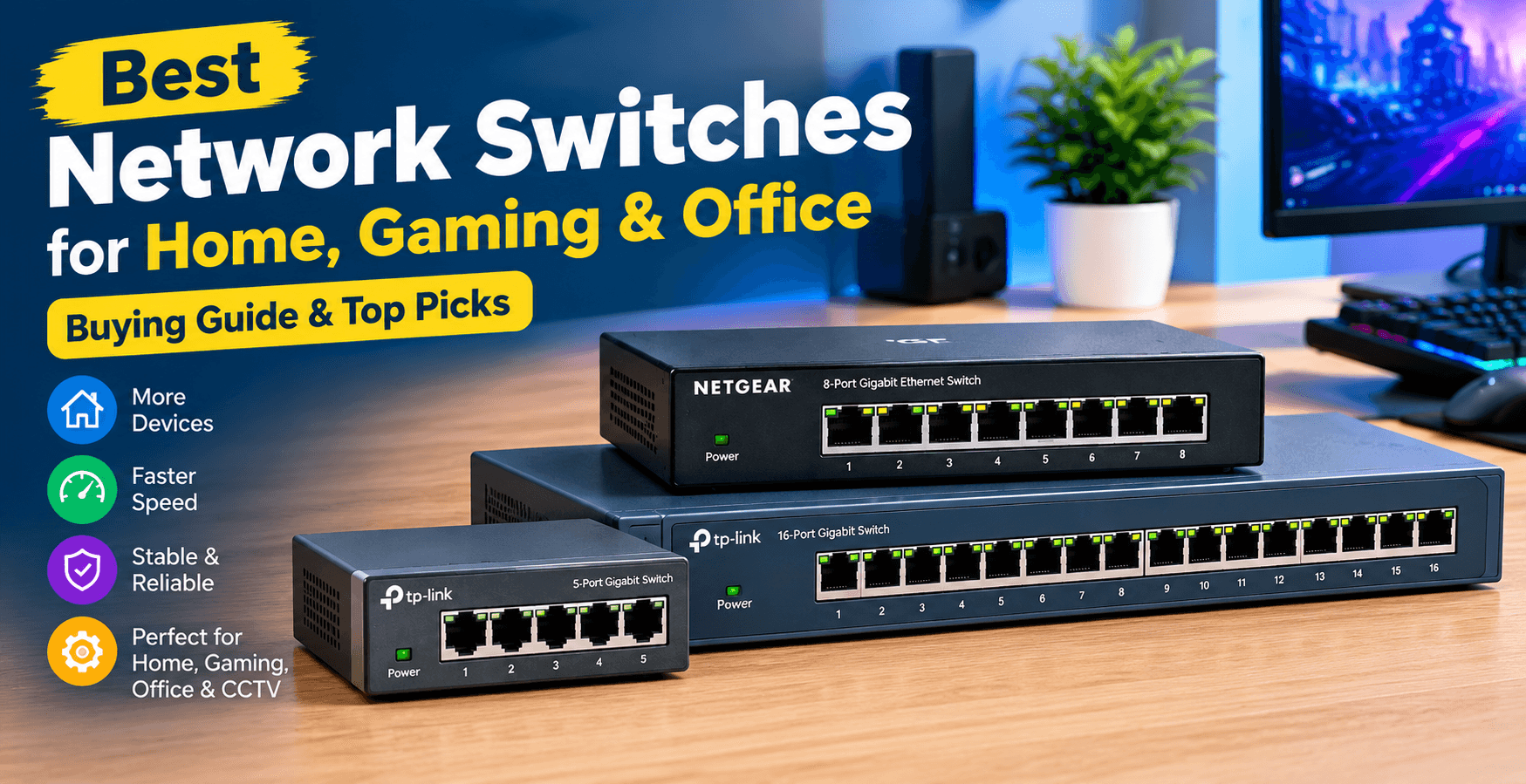
A network switch is a useful device for connecting multiple wired devices to the same local network. Whether you need one for a home office, gaming setup, CCTV cameras, or a small business, the right Ethernet switch can make your network more reliable and organized.
If you have more wired devices than available router ports, a network switch provides an easy way to expand your Ethernet connections.
1. TP-Link 5-Port Gigabit Ethernet Switch

The TP-Link 5-Port Gigabit Ethernet Switch is a good option for small home networks and gaming setups. Its compact design makes it easy to place on a desk, near a TV, or beside your router.
You can connect devices such as a gaming PC, console, smart TV, printer, or Wi-Fi access point. Gigabit Ethernet provides fast wired connectivity for everyday networking, gaming, streaming, and file transfers.
Best for: Small homes, gaming setups, and basic wired networks.
👉 Check Price: [Buy Now]
2. NETGEAR 8-Port Gigabit Ethernet Switch

If you need more connections, an 8-port Gigabit Ethernet switch provides additional flexibility. It can be useful for home offices, gaming rooms, and networks with several wired devices.
You can connect computers, printers, NAS storage, smart TVs, gaming consoles, and other Ethernet devices. The extra ports also give you some room for future expansion.
Best for: Home offices, gamers, and growing networks.
👉 Check Price: [Buy Now]
3. TP-Link 16-Port Gigabit Ethernet Switch

For larger networks, a 16-port Gigabit Ethernet switch offers significantly more connectivity. It is suitable for offices, small businesses, CCTV installations, and larger homes with many wired devices.
You can connect computers, IP cameras, printers, access points, servers, and NAS systems through a single network switch.
Best for: Offices, CCTV setups, and larger networks.
👉 Check Price: [Buy Now]
Managed vs. Unmanaged Switch
Before buying a network switch, you should understand the difference between managed and unmanaged switches.
An unmanaged switch is a simple plug-and-play option. You connect your Ethernet cables and it handles basic network connectivity automatically. It is generally ideal for homes and simple office setups.
A managed switch provides more control and may offer features such as VLANs, traffic management, and network monitoring. These features are more useful for businesses and advanced networks.
For most basic home users, an unmanaged switch is usually enough.
What Should You Look for in a Network Switch?
Number of Ports
Choose the number of ports according to your current and future needs. A 5-port or 8-port switch is suitable for smaller setups, while a 16-port switch is better for larger networks.
Ethernet Speed
Gigabit Ethernet is a popular choice for modern home and office networks. If you transfer large files frequently or have compatible high-speed devices, you can also consider 2.5GbE switches.
PoE Support
If you are installing IP cameras, wireless access points, or VoIP phones, consider a PoE switch. PoE can provide power and network connectivity through a compatible Ethernet cable.
Future Expansion
It is a good idea to choose a switch with a few extra ports. This allows you to add more devices later without immediately replacing your switch.
Which Network Switch Should You Buy?
For a small home or gaming setup, a 5-port Gigabit switch is usually enough. If you have more devices, an 8-port switch provides additional flexibility.
For offices, CCTV installations, and larger networks, a 16-port switch can be a better choice.
Before purchasing, consider the number of devices you need to connect, Ethernet speed, PoE requirements, and whether you need managed networking features.
Final Thoughts
A network switch is an affordable and practical way to expand your wired network. The right model depends mainly on how many devices you need to connect and which networking features you require.
For simple home use, a 5-port or 8-port Gigabit switch is a great starting point. Larger networks can benefit from a 16-port switch or a managed model with advanced features.
Transform Your Digital Infrastructure
Our team designs and ships custom Next.js web applications, mobile apps, and scalable cloud solutions for high-growth tech companies.
Chat Directly on WhatsApp