Best Document Scanner for Small Business and Home Office in 2026
Looking for a good document scanner? Check out these 3 options for your home or small business and find the right fit for your needs.
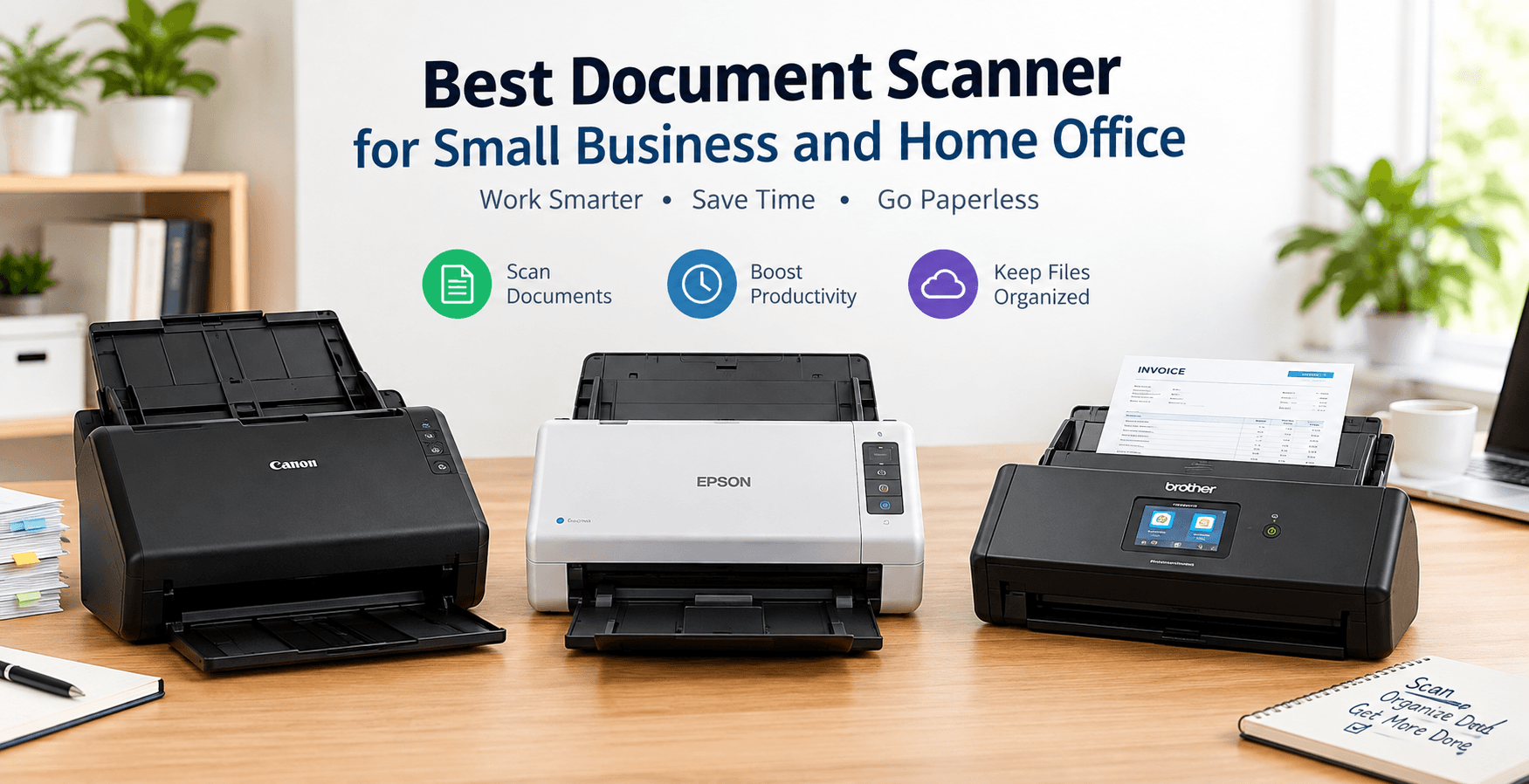
Finding the right document scanner can make everyday paperwork easier to manage. Whether you need to scan invoices, receipts, contracts, or personal documents, choosing the right device can save time and keep your files organized.
In this guide, we will look at three document scanners for different needs, including small businesses, home offices, and compact workspaces. You will learn about their features, pros and cons, and what to consider before buying.
1. Canon imageFORMULA R40 Document Scanner Review
The Canon imageFORMULA R40 is a useful option for people who need to scan multiple documents regularly. It is designed for small offices and businesses that handle invoices, forms, and paperwork.
Its automatic document feeder helps you scan multiple pages without placing each sheet individually. Duplex scanning also makes it easier to digitize double-sided documents.
Key Features
- Automatic document feeder with a capacity of up to 60 sheets.
- Duplex scanning for double-sided pages.
- Optical resolution up to 600 dpi.
- USB connectivity.
- Compatible Canon scanning software.
Pros
- Useful for scanning multiple pages.
- Saves time when handling double-sided paperwork.
- Suitable for small-business document management.
- Helps create digital copies of important records.
Cons
- No built-in Wi-Fi.
- Requires a connected computer.
- May be unnecessary for people who scan only occasionally.
Best for: Small businesses, accountants, and office workers.
Check the latest price: Canon imageFORMULA R40 on Amazon
2. Epson WorkForce ES-400 II for Home Office Documents
The Epson WorkForce ES-400 II is designed for people who want to digitize paperwork at home or in a small office. It can help organize receipts, business documents, and personal records.
The automatic document feeder reduces manual work, while duplex scanning allows you to capture both sides of a page. Its scanning software also helps users save and organize digital files.
Key Features
- Automatic document feeder with a capacity of up to 50 sheets.
- Duplex scanning.
- Optical resolution up to 600 dpi.
- USB computer connection.
- Epson ScanSmart software.
Pros
- Convenient for regular paperwork.
- Helps scan multi-page documents efficiently.
- Supports double-sided scanning.
- Useful for home-office organization.
Cons
- Requires a wired connection to a computer.
- Takes up more desk space than portable scanners.
- Does not offer built-in Wi-Fi.
Best for: Freelancers, remote workers, and home-office users.
Check the latest price: Epson WorkForce ES-400 II on Amazon
3. Brother ADS-1700W Compact Wireless Document Scanner
The Brother ADS-1700W is a compact scanner for people who need flexible document scanning without a large office setup.
It includes wireless connectivity, a color touchscreen, and an automatic document feeder. These features make it a practical option for smaller workspaces where convenience matters.
Key Features
- Automatic document feeder with a capacity of up to 20 sheets.
- Duplex scanning.
- Wi-Fi and USB connectivity.
- Color touchscreen.
- Scanning to a USB flash drive.
Pros
- Compact design for small desks.
- Wireless connectivity.
- Easy access to common scanning functions.
- Suitable for everyday document digitization.
Cons
- Smaller feeder than some desktop models.
- Less suitable for very large scanning batches.
- Software compatibility should be checked before purchase.
Best for: Freelancers, small home offices, and users who want a wireless document scanner.
Check the latest price: Brother ADS-1700W on Amazon
How to Choose a Document Scanner for Small Business Use
Before purchasing a scanner, consider how frequently you scan documents and which features matter most.
Automatic Document Feeder
An automatic document feeder allows you to load multiple pages at once. It is particularly helpful when scanning invoices, forms, and business records.
Duplex Scanning
Duplex scanning captures both sides of a sheet. This feature is useful for contracts, bank statements, and other double-sided documents.
Wireless Connectivity
A wireless document scanner can be convenient if you want more flexibility in your workspace. However, a USB scanner may be sufficient if you use one dedicated computer.
Searchable PDF Support
Optical character recognition, or OCR, can turn scanned text into searchable digital documents. This is helpful when you need to find a name, invoice number, or other information in a large collection of files.
Scanner Size and Daily Workload
Consider your available desk space and the number of pages you scan each day. A compact scanner may suit occasional tasks, while a desktop model with a larger feeder may be better for regular business paperwork.
Frequently Asked Questions
What is the best document scanner for a small home office?
The Epson WorkForce ES-400 II is worth considering for regular multi-page scanning. The Brother ADS-1700W may be a better fit if you prefer wireless connectivity and a compact design.
Which scanner is suitable for scanning business invoices?
A document scanner with an automatic document feeder and duplex scanning can make invoice processing easier. The Canon imageFORMULA R40 is one option to consider for regular office use.
Is a wireless document scanner worth buying?
A wireless scanner can be useful when you want more flexibility in your workspace. If you always scan from one computer, a USB model may be sufficient.
Can document scanners save files as PDFs?
Yes. Compatible scanning software can save documents as PDF files. Some software also supports OCR for creating searchable PDFs.
What should I check before buying a document scanner online?
Check the current price, supported operating systems, scanning speed, feeder capacity, warranty, and software features. Also confirm that the exact model is available in your region.
Final Thoughts
Choosing the right scanner depends on your workspace and document volume. The Canon imageFORMULA R40 is worth considering for small-business paperwork, the Epson WorkForce ES-400 II suits regular home-office scanning, and the Brother ADS-1700W offers a compact wireless option.
Review the specifications and current Amazon listing before making your final decision.
Transform Your Digital Infrastructure
Our team designs and ships custom Next.js web applications, mobile apps, and scalable cloud solutions for high-growth tech companies.
Chat Directly on WhatsApp